One row of a conversation that arranges sender identity, content, metadata and actions on the sender's side.
<tp-message>
Message
Default density
Compact density
Restart from the initial state
Show the copyable source
The onboarding checklist is ready for review.Did you include the keyboard audit?Yes, every finding now has an owner.DeliveredThat gives us a clear release criterion.I'll walk through the signup flow next.Sam is typing…
The onboarding checklist is ready for review.Did you include the keyboard audit?Yes, every finding now has an owner.DeliveredThat gives us a clear release criterion.I'll walk through the signup flow next.Sam is typing…
<div style="display:flex;flex-direction:column;gap:var(--tp-space-6);max-inline-size:26rem;margin-inline:auto">
<tp-message align="end" aria-label="Alex Morgan">
<tp-avatar slot="avatar" fallback="AM" alt="Alex Morgan"></tp-avatar>
<tp-bubble align="end" variant="default">The onboarding checklist is ready for review.</tp-bubble>
</tp-message>
<tp-message aria-label="Sam Rivera">
<tp-avatar slot="avatar" fallback="SR" alt="Sam Rivera"></tp-avatar>
<tp-bubble>Did you include the keyboard audit?</tp-bubble>
</tp-message>
<tp-message align="end" aria-label="Alex Morgan">
<tp-avatar slot="avatar" fallback="AM" alt="Alex Morgan"></tp-avatar>
<tp-bubble align="end" variant="default">Yes, every finding now has an owner.</tp-bubble>
<span slot="footer">Delivered</span>
</tp-message>
<tp-message aria-label="Sam Rivera">
<tp-avatar slot="avatar" fallback="SR" alt="Sam Rivera"></tp-avatar>
<tp-bubble-group>
<tp-bubble>That gives us a clear release criterion.</tp-bubble>
<tp-bubble>I'll walk through the signup flow next.</tp-bubble>
</tp-bubble-group>
</tp-message>
<tp-marker role="status">Sam is typing…</tp-marker>
</div>
Usage
A Message lays out one row: avatar column, header, content and footer. It does not send anything or infer delivery state; the visible surface is a tp-bubble, and status text in the footer comes from your application. Wrap chronological rows in tp-message-scroller-item when using Message Scroller.
Alignment
align="end" marks the current sender and align="start" everyone else. Avatar and footer follow the logical side, including right-to-left; set the nested Bubble’s align to match. Header stays start aligned. A team chat uses bubbles on both sides; an assistant transcript can use a ghost Bubble for full-width assistant content. An activity history may use start-aligned rows throughout. Choose the composition deliberately.
Sender sides
Default density
Compact density
Restart from the initial state
Show the copyable source
The staging deploy failed on the migration step.Rolling it back now. I'll post the logs in a minute.
The staging deploy failed on the migration step.Rolling it back now. I'll post the logs in a minute.
<div style="display:flex;flex-direction:column;gap:var(--tp-space-6);max-inline-size:26rem;margin-inline:auto">
<tp-message aria-label="Priya Shah">
<tp-avatar slot="avatar" fallback="PS" alt="Priya Shah"></tp-avatar>
<tp-bubble>The staging deploy failed on the migration step.</tp-bubble>
</tp-message>
<tp-message align="end" aria-label="You">
<tp-avatar slot="avatar" fallback="JL" alt="Jordan Lee"></tp-avatar>
<tp-bubble align="end" variant="default">Rolling it back now. I'll post the logs in a minute.</tp-bubble>
</tp-message>
</div>
Alignment alone does not identify a sender. Give every row an accessible name through aria-label, the avatar’s alt or a header. Rows are presentational articles, not implicit buttons or live regions. Use tp-marker role="status" for typing or action feedback, instead of making the whole transcript live.
Header and footer
author and timestamp fill the default header; the time is rendered by Time, so it formats for the reader’s locale. The footer slot carries delivery status, read receipts or reactions, and empty regions take no space.
Header and footer
Default density
Compact density
Restart from the initial state
Show the copyable source
The Q3 invoice export is attached to the ticket.Thanks, forwarding it to finance.Read by Sam
The Q3 invoice export is attached to the ticket.Thanks, forwarding it to finance.Read by Sam
<div style="display:flex;flex-direction:column;gap:var(--tp-space-6);max-inline-size:26rem;margin-inline:auto">
<tp-message author="Sam Rivera" timestamp="2026-10-09T14:32:00">
<tp-bubble>The Q3 invoice export is attached to the ticket.</tp-bubble>
</tp-message>
<tp-message align="end" author="You" timestamp="2026-10-09T14:35:00">
<tp-bubble align="end" variant="default">Thanks, forwarding it to finance.</tp-bubble>
<span slot="footer">Read by Sam</span>
</tp-message>
</div>
Delivery status
pending shows a Sending status in the footer, and failed shows Failed to send, announced as an alert. Your application sets and clears both. The status is the footer’s fallback, so it appears only while the footer slot is empty.
Sending and failed
Default density
Compact density
Restart from the initial state
Show the copyable source
Can we move the design review to 3pm?Uploading the updated mockups now.
Can we move the design review to 3pm?Uploading the updated mockups now.
<div style="display:flex;flex-direction:column;gap:var(--tp-space-6);max-inline-size:26rem;margin-inline:auto">
<tp-message align="end" aria-label="You" pending>
<tp-bubble align="end" variant="default">Can we move the design review to 3pm?</tp-bubble>
</tp-message>
<tp-message align="end" aria-label="You" failed>
<tp-bubble align="end" variant="default">Uploading the updated mockups now.</tp-bubble>
</tp-message>
</div>
Group
tp-message-group stacks consecutive messages from one sender with tighter spacing. An empty avatar slot keeps the column on earlier rows so the bubbles line up under the final avatar. Omitting the slot removes the column entirely. The avatar aligns with Content’s lower edge even when the Footer grows or wraps; no fixed footer-height offset is needed.
Message group
Default density
Compact density
Restart from the initial state
Show the copyable source
I checked the release checklist.The remaining items are assigned to the platform team.
I checked the release checklist.The remaining items are assigned to the platform team.
<tp-message-group style="max-inline-size:26rem;margin-inline:auto">
<tp-message aria-label="Sam Rivera">
<span slot="avatar" aria-hidden="true"></span>
<tp-bubble>I checked the release checklist.</tp-bubble>
</tp-message>
<tp-message aria-label="Sam Rivera">
<tp-avatar slot="avatar" fallback="SR" alt="Sam Rivera"></tp-avatar>
<tp-bubble>The remaining items are assigned to the platform team.</tp-bubble>
</tp-message>
</tp-message-group>
Actions
Actions are ordinary named controls in the footer: a Button for one-off commands, Toggles for feedback that has a pressed state. Each stays its own tab stop.
Footer actions
Default density
Compact density
Restart from the initial state
Show the copyable source
Your workspace uses 18 of 20 seats. Removing the two inactive guests frees room for the new hires without changing your plan.
Your workspace uses 18 of 20 seats. Removing the two inactive guests frees room for the new hires without changing your plan.
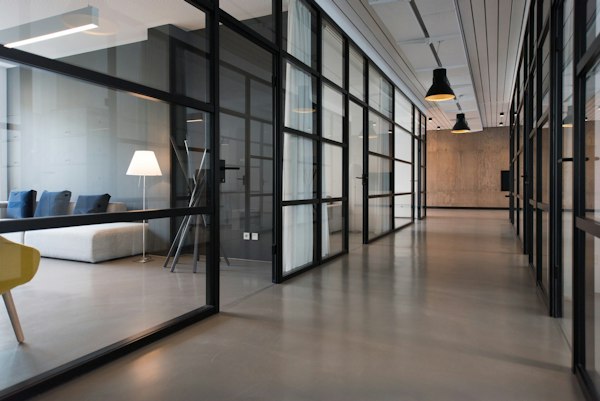
Put files and images in tp-attachment next to the Bubble; the Message’s content area owns the spacing between them. An image takes the vertical orientation with media-treatment="image" and stays on the sender’s side.
Attachment
Default density
Compact density
Restart from the initial state
Show the copyable source
This is the floor we're looking at for the new team.Here's the deck for Thursday.Got it, I'll add the hiring numbers tonight.
This is the floor we're looking at for the new team.Here's the deck for Thursday.Got it, I'll add the hiring numbers tonight.
<div style="display:flex;flex-direction:column;gap:var(--tp-space-6);max-inline-size:26rem;margin-inline:auto">
<tp-message align="end" aria-label="Alex Morgan">
<tp-attachment orientation="vertical" media-treatment="image" status="complete">
<img slot="media" src="https://images.unsplash.com/photo-1497366754035-f200968a6e72?w=600&q=80" alt="Open-plan office with long shared desks">
</tp-attachment>
<tp-bubble align="end" variant="default">This is the floor we're looking at for the new team.</tp-bubble>
</tp-message>
<tp-message align="end" aria-label="Alex Morgan">
<tp-attachment filename="q3-board-update.pdf" description="PDF · 1.2 MB" status="complete"></tp-attachment>
<tp-bubble align="end" variant="default">Here's the deck for Thursday.</tp-bubble>
</tp-message>
<tp-message aria-label="Sam Rivera">
<tp-avatar slot="avatar" fallback="SR" alt="Sam Rivera"></tp-avatar>
<tp-bubble>Got it, I'll add the hiring numbers tonight.</tp-bubble>
</tp-message>
</div>
Retry
To offer a retry, put your own status text and a Retry button in the footer instead of setting failed; slotted footer content replaces the built-in status. Move focus to the status once the message goes through, so keyboard users aren’t left on a button that has disappeared.
Retry a failed message
Default density
Compact density
Restart from the initial state
Show the copyable source
Sharing the venue contract with legal now.Failed to send
Sharing the venue contract with legal now.Failed to send
AttributePropertyTypeDefaultDescriptionalignalign'start' | 'end''start'The sender's side, in writing direction: end for the current user's own messages.authorauthorstring''The sender's name in the header.timestamptimestampTimeInput''When the message was sent, shown in the header through Time; text it cannot read is shown unchanged.pendingpendingbooleanfalseShows a Sending status in an empty footer while the application delivers the message.failedfailedbooleanfalseShows a Failed to send alert in an empty footer.
Slots
SlotDescriptiondefaultThe content: a Bubble or a Bubble group, and Attachments.avatarThe sender's Avatar; an empty element keeps the column on earlier rows of a group.headerReplaces the header built from author and timestamp.footerDelivery status, read receipts, reactions or action controls; replaces the built-in status.
CSS parts
PartDescription::part(author)The sender's name in the built-in header.::part(body)The wrapper of the header, content and footer.::part(message-avatar)The column that holds the sender's avatar.::part(message-content)The content area, which spaces the Bubbles and Attachments in it.::part(message-footer)The footer with the delivery status or actions.::part(message-header)The header with the sender's name and the time.::part(message-root)The row: the avatar column beside the header, content and footer.::part(status)The built-in Sending or Failed to send status in the footer.::part(timestamp)The Time in the built-in header; it re-exports the Time's time-value part.
<tp-message-group>
Slots
SlotDescriptiondefaultThe sender's Messages, in order.